Ready to see Keep Aware in action?
Schedule a personalized demo today and see how Keep Aware can protect your organization's biggest workplace.



“BitB vs. BitM vs. AitM vs. AitB.” Same letters, different order, and very different threats.
These acronyms get thrown around in articles and vendor decks, sometimes interchangeably. For security teams responsible for protecting users in the browser, clarifying that confusion matters. This post is a quick reference to help you keep them straight, understand how they work, and where Browser Detection & Response (BDR) solutions help.
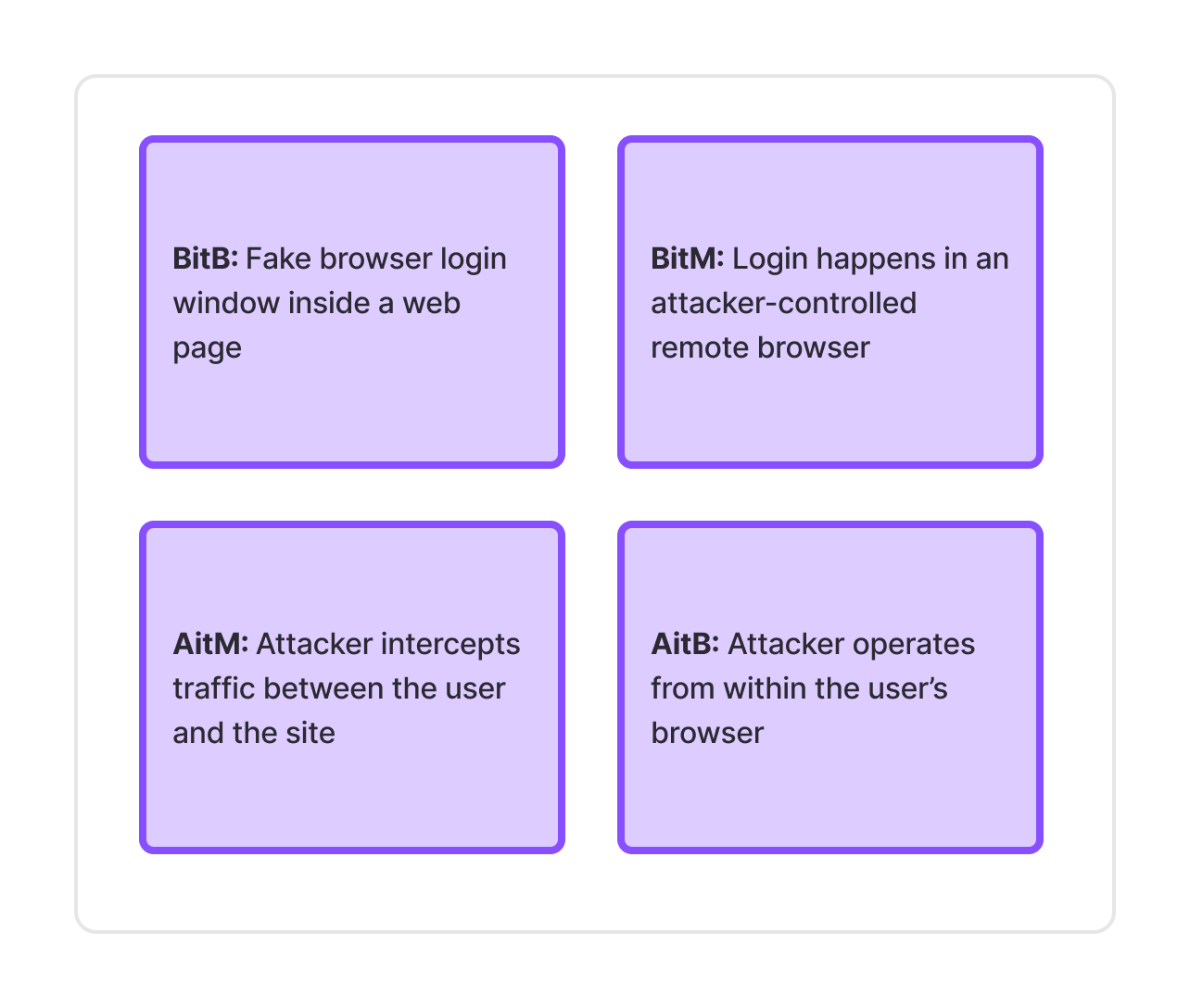
All four techniques are commonly used in phishing and credential theft:
These terms overlap in goals (credential or session theft) but differ in where the attacker sits and what the user is actually interacting with.
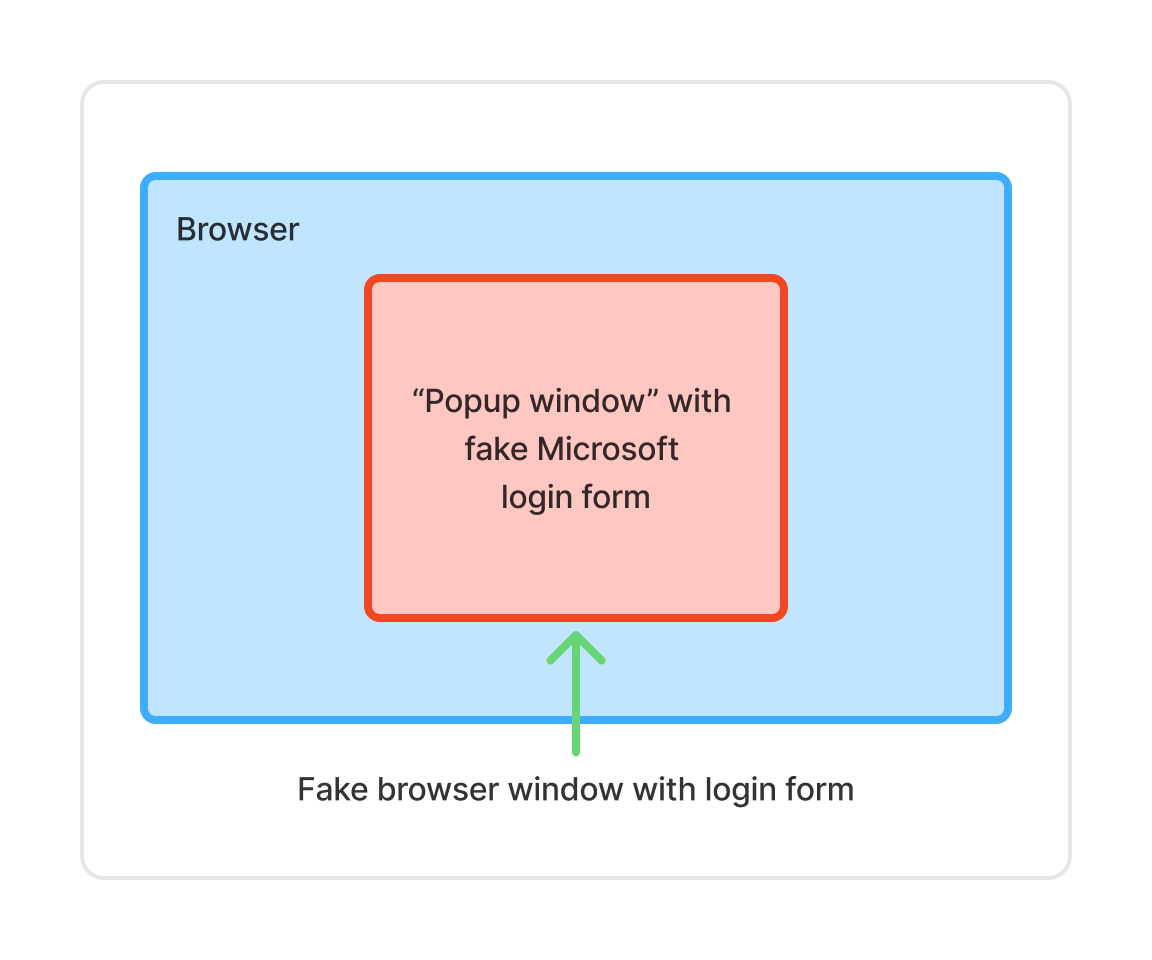
What it is: A fake browser window rendered inside a web page to impersonate a trusted login flow (e.g., Microsoft, Google, Okta, etc.).
The pop-up looks real—address bar, padlock, branding—but it’s just HTML, CSS, and JavaScript controlled by the attacker. A more fitting name might be “(fake)browser-in-the-browser”.
Why it works:
Common implementation details:
Bottom line: BitB = a fake login window pretending to be a real browser.
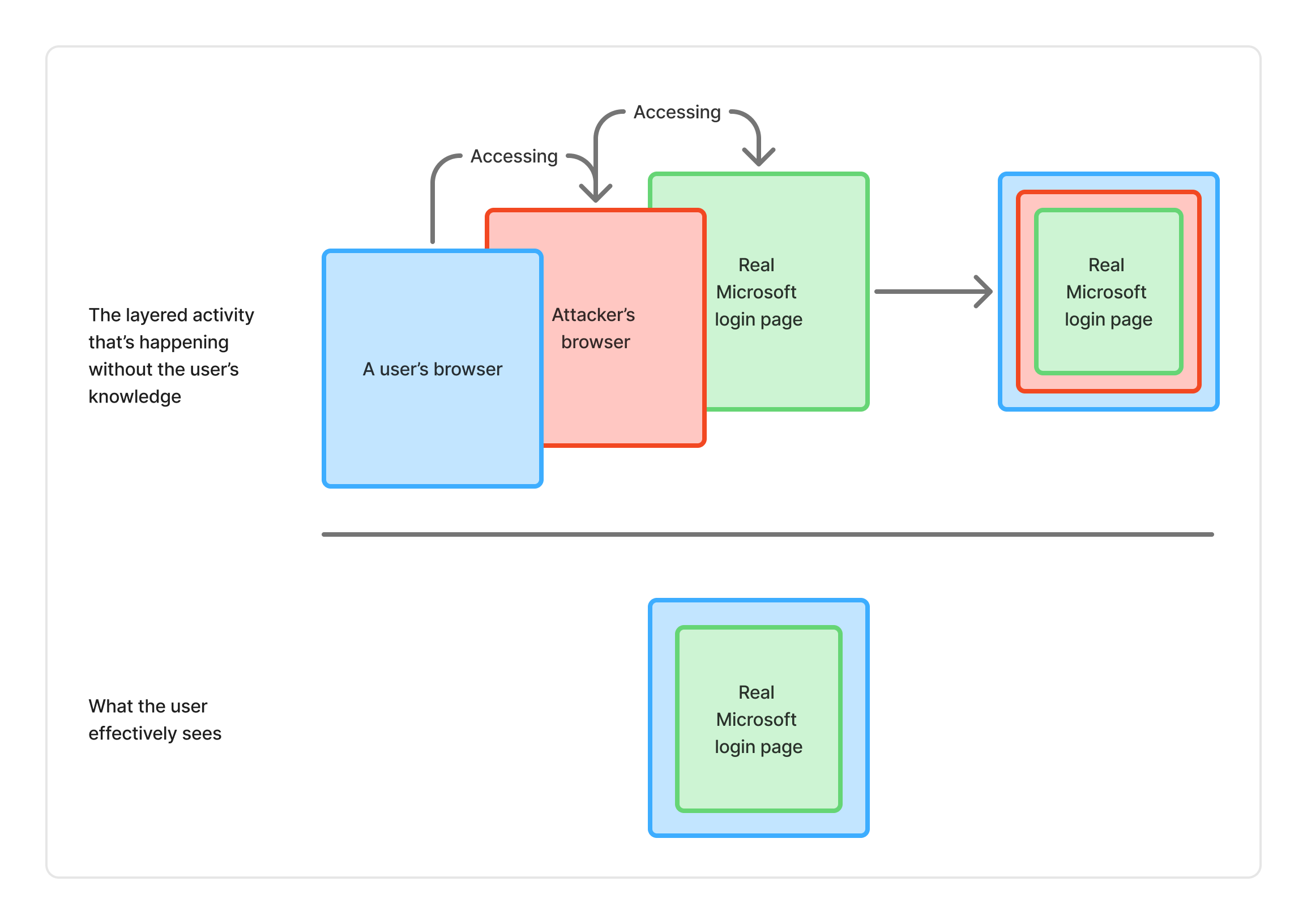
What it is: A user logs into a real website, but through an attacker-controlled remote browser.
From the user’s perspective, everything works as expected: real domain; real login; real MFA challenge.
But the session is created inside the attacker’s browser, not the user’s. In other words, the session token is stored on the attacker’s browser, not the user’s.
Why it works:
Think of it like a malicious version of remote browser isolation (RBI)—you’re browsing using someone else’s browser.
Bottom line: BitM = Authentication using an attacker’s browser, not your own.
What it is: A broader category where the attacker intercepts and sometimes relays traffic between the user and a legitimate service.
BitM is effectively a specialized browser-based AitM relay attack, but AitM can also include:
Why it works:
Bottom line: AitM = the attacker transparently sits between you and the real site.
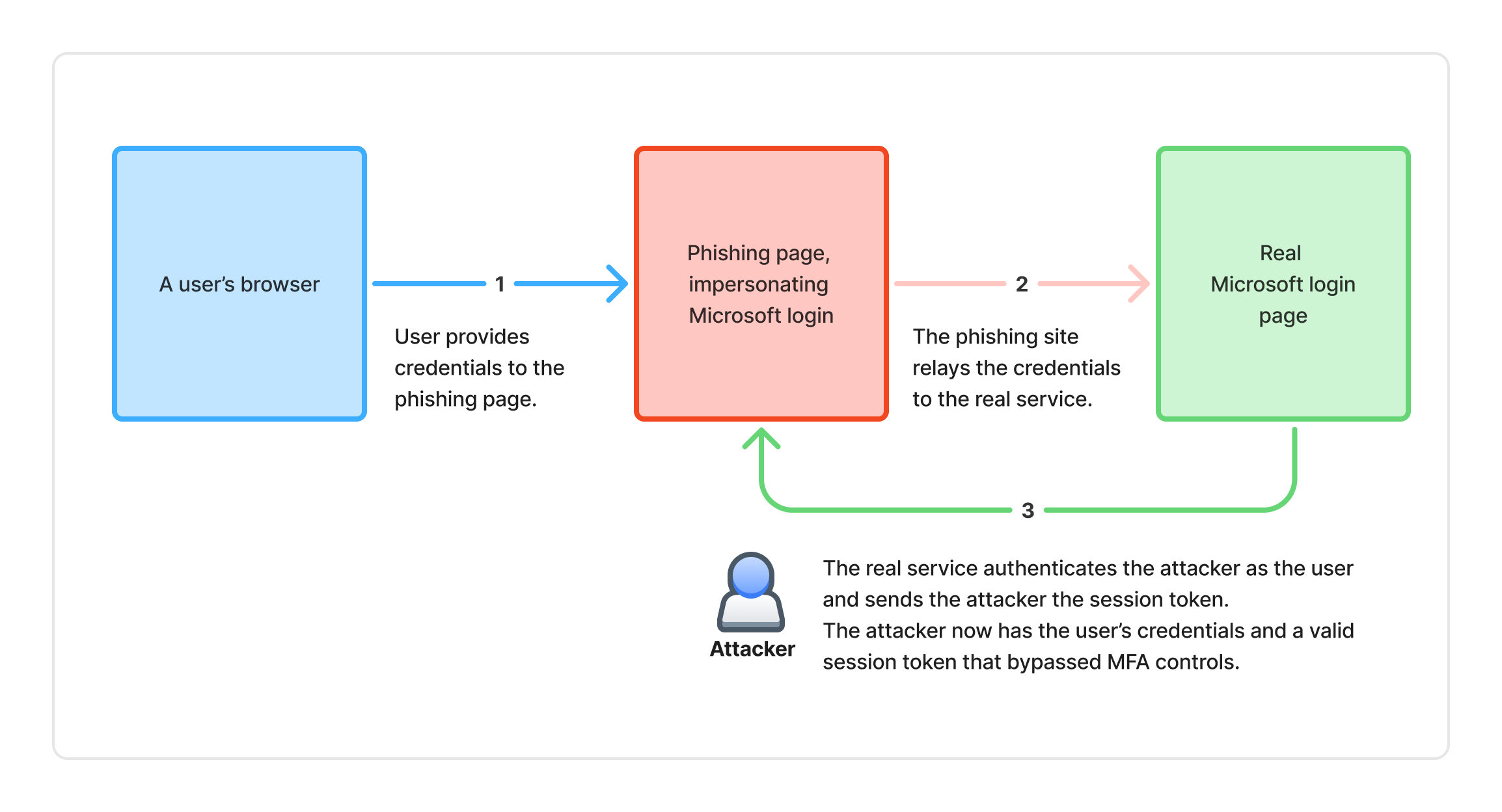
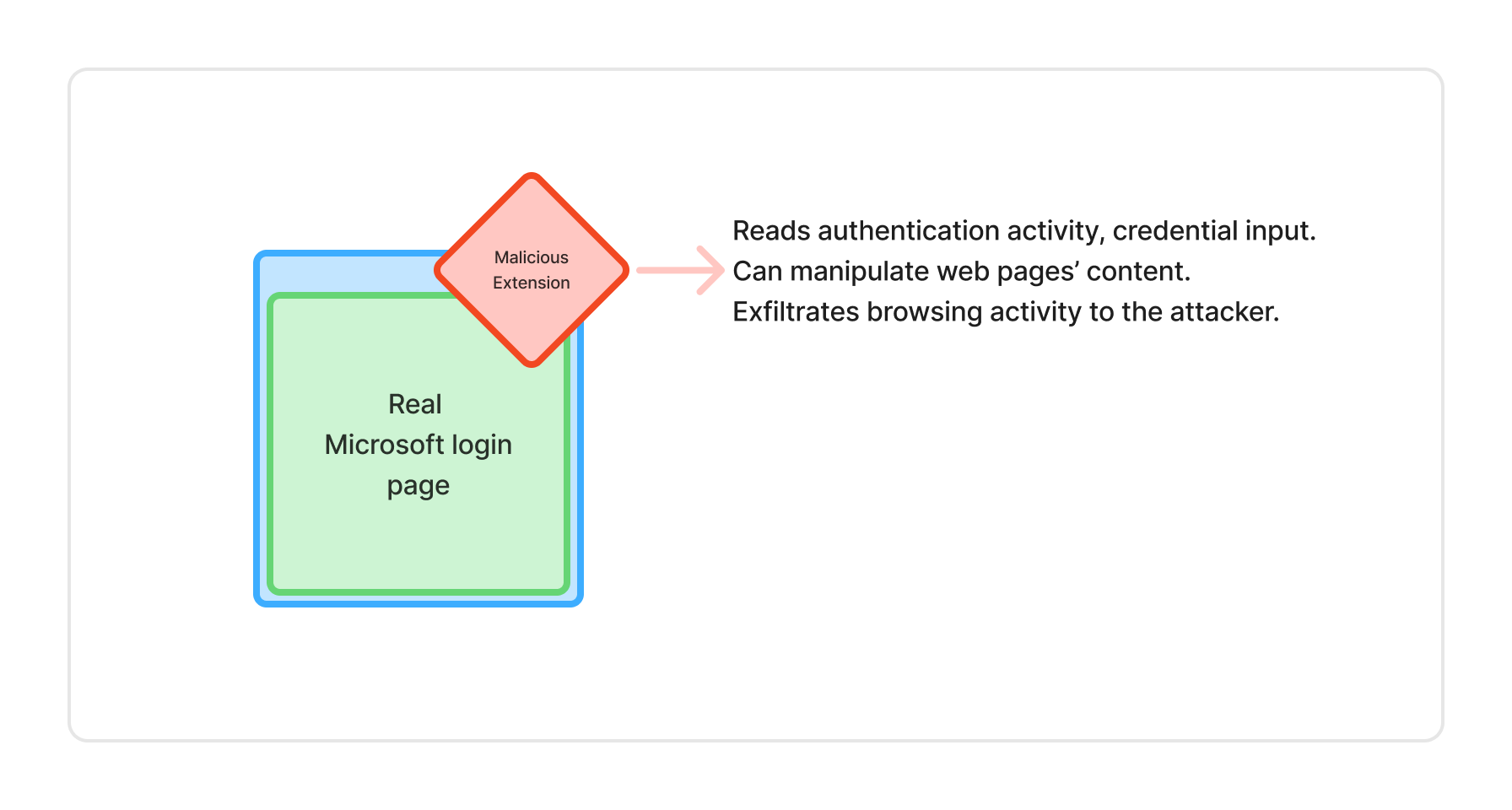
What it is: The attacker is already inside the user’s browser environment.
This typically involves:
Why it works:
Bottom line: AitB = the browser itself is compromised.
Different mechanics. Same end goal: credential or session theft.
Email and network security, MFA, and endpoint protection often miss these attacks because:
This is why browser-level visibility matters.
BDR solutions are strongest when detecting and investigating attacks that occur in the commonplace interface that attackers use to spy on users and steal credentials—the browser. BDR tools are uniquely positioned to provide the missing coverage of browser-based attacks. They can:
When combined with network and endpoint controls, BDR provides the additional coverage needed for security teams to effectively defend against all four of these types of browser-based attacks.
Keep Aware focuses on what the user actually sees and interacts with in the browser, not just network-level activity.
Specifically, Keep Aware helps by:
Instead of guessing where the attack started, security teams can see:
Don’t let acronym overload distract from the fundamentals.
Whether it’s BitB, BitM, AitM, or AitB, the attacker’s ultimate goal remains the same: collect credentials or hijack a session without triggering traditional controls.
What matters most isn’t perfectly classifying the technique, but having reliable browser-level signals that confirm a phishing event occurred, even when email security, MFA controls, and network defenses see nothing wrong.
That’s where modern BDR—and Keep Aware in particular—adds value by delivering high-quality alerts and actionable browser telemetry that give security teams confidence that an attack occurred and how it unfolded.
80%+ of the workday happens in the browser, and that's where modern attacks now land. Request a demo to see Keep Aware in action.