Ready to see Keep Aware in action?
Schedule a personalized demo today and see how Keep Aware can protect your organization's biggest workplace.



When phishing attacks use evasive tactics, traditional security tools often fail to detect the browser-based threats. In this phishing attack, a legitimate Microsoft SharePoint site was used as a stepping stone between a phishing email and a highly evasive credential-harvesting webpage.
.png)
Rather than sending victims directly to a malicious login page, the attacker chained together multiple defense evasion elements—SharePoint site, content cloaking, and a CAPTCHA—to reduce the likelihood of detection at every stage of the attack.
A legitimate SharePoint site belonging to a real law firm was used as an intermediary phishing page. The phishing email did not link directly to a fake Microsoft login page; instead, it redirected the victim to the law firm’s SharePoint site, which then funneled the user onward to the credential theft page.
This is a deliberate evasive tactic our threat research function often sees. By inserting a trusted domain between the email and the phishing site, the attacker dramatically reduced the chance that the email would be flagged or blocked. Security tools are far less likely to treat a SharePoint link, especially one associated with a real organization, as suspicious.
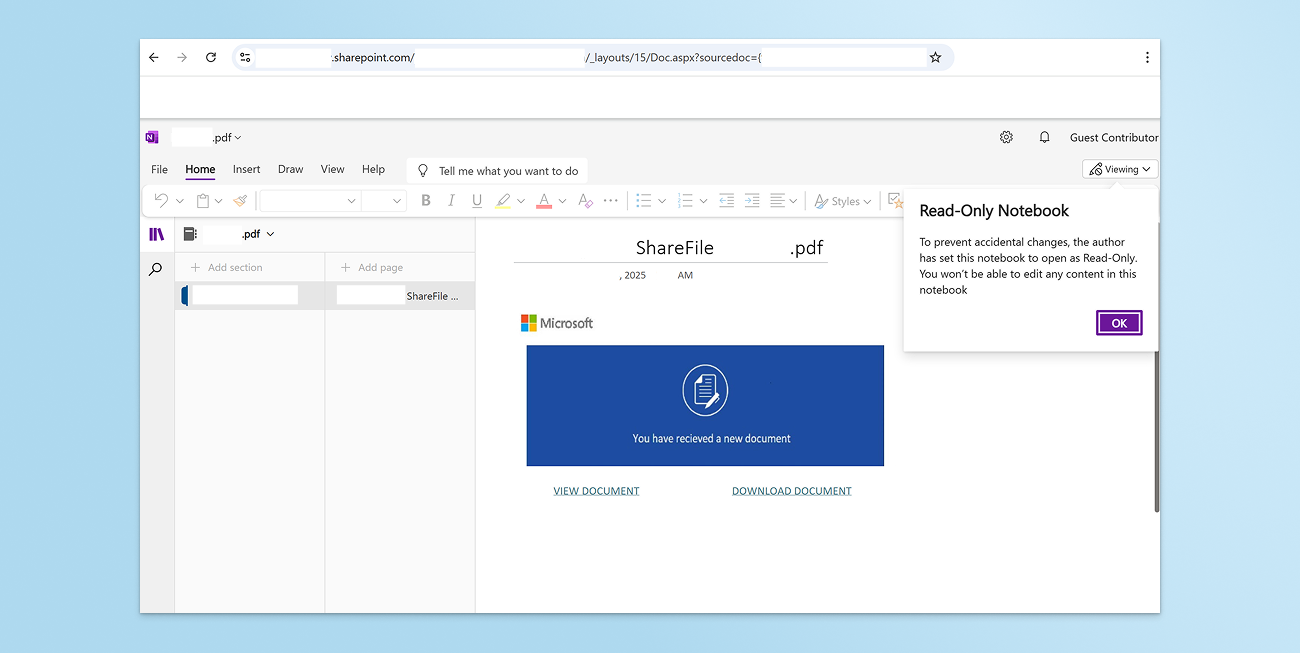
The SharePoint page appears to belong to a real person at a real law firm, suggesting the attacker compromised the account. From a defense perspective, this blurs the line between “malicious” and “legitimate” activity and makes traditional allow/block logic ineffective.
The phishing page itself was protected behind a CAPTCHA challenge. While CAPTCHA is not a new evasive technique, it remains highly effective at evading automated inspection.
For readers familiar with our previous research, this tactic will be familiar: CAPTCHAs impede crawlers and automated site analysis engines from accessing and categorizing the malicious content. As a result, the phishing page remains live longer, avoids early reputation-based blocking, and delays categorization as malicious across security vendors.
For defenders, this means that when an employee accesses a malicious page, traditional security tools often allow the threat while leaving security teams unaware that an attack occurred.
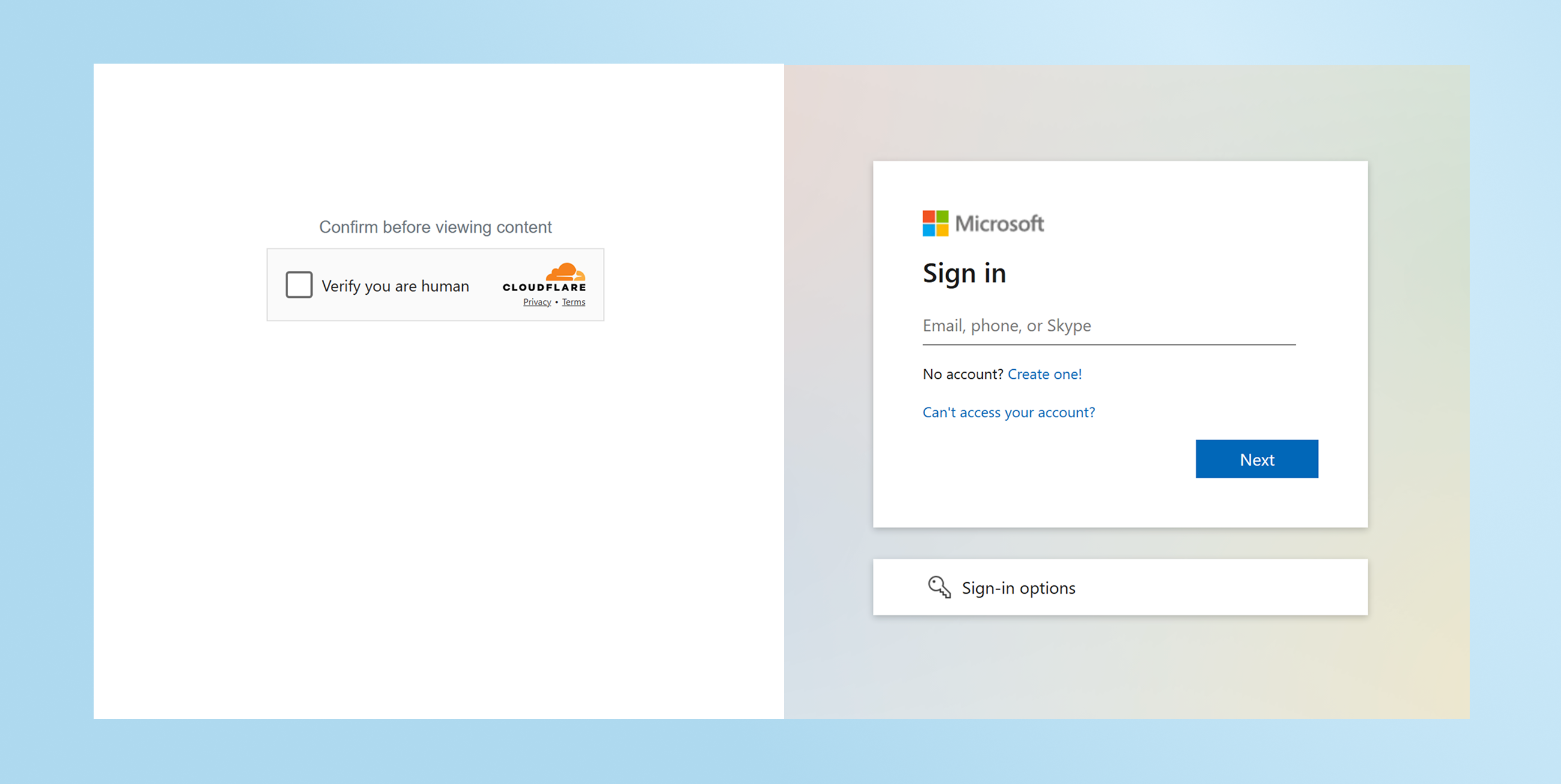
The phishing infrastructure went a step further by leveraging content cloaking. Content cloaking is a tactic websites use to show different content to different visitors based on any number of browsing characteristics. In this case, the malicious site was serving unrelated content depending on the URL path or URI query parameters used to access the site.
When browsing to alternative pages on the same domain—or even the same page with modified parameters—the site displayed benign-looking content unrelated to phishing. In observed cases, the same domain presented itself as:

Only under specific conditions did the site deliver the phishing login page.
This behavior directly undermines reputation-based detection. In VirusTotal, for example, the domain was categorized as benign by all but one detection engine. VirusTotal is widely used by security analysts and threat hunters, but it’s important to recognize its limitations. It is not designed to reliably detect highly evasive, context-dependent phishing infrastructure.
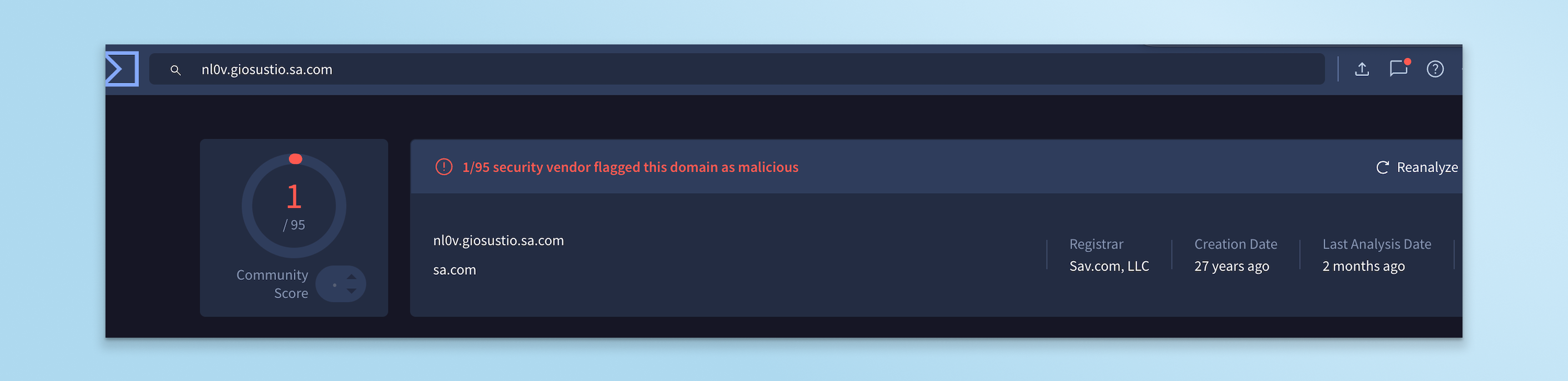
By serving different content across pages and URIs, the attacker delayed detection not just by VirusTotal vendors, but by traditional enterprise controls as well. In this case, the phishing chain was allowed by the customer’s email security, web filtering, and network controls. The only control that detected and prevented the attack was Keep Aware, operating at the browser layer where the attack actually executed.

This attack highlights a persistent gap in modern security stacks: phishing doesn’t fail at the email gateway or the firewall, and it succeeds in the browser.
Keep Aware stops phishing at its source by providing direct visibility and enforcement inside the browser itself. Rather than relying on static reputation or pre-classified domains, Keep Aware detects malicious browsing activity when and where it happens, regardless of evasive techniques.
For security teams, this means fewer blind spots, clearer incident context, and the ability to stop credential theft even when attackers abuse trusted platforms like SharePoint or use domains incorrectly classified as benign. As phishing attacks continue to evolve evasive tactics, browser detection and response is no longer optional—it’s essential.
nl0v[.]giosustio[.]sa[.]com
80%+ of the workday happens in the browser, and that's where modern attacks now land. Request a demo to see Keep Aware in action.