Ready to see Keep Aware in action?
Schedule a personalized demo today and see how Keep Aware can protect your organization's biggest workplace.


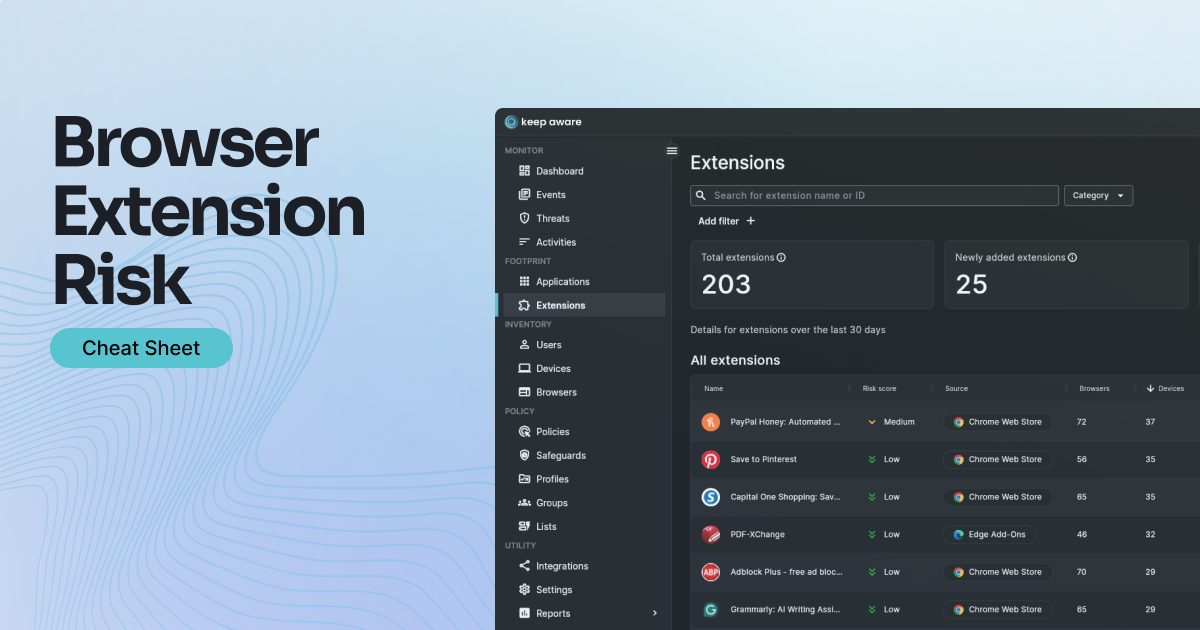
Browser extensions run as persistent third-party code inside your employees' browsers, with permissions to read page content, intercept web traffic, access clipboard data, and inject scripts into any site a user visits. Unlike most software, they often land without IT involvement — installed via a popup, a search result, or an ad — and they update silently in the background with no security review.
Effective browser extension management is difficult precisely because the risk is invisible by default. There's no native alert when a new extension is installed, no flag when permissions change, and no inventory of what's running across your fleet. What makes this especially dangerous is that even a legitimate, well-reviewed extension can become a threat overnight — when a developer account is compromised or an extension is sold to a new publisher, a previously trusted tool becomes a silent backdoor with no warning sent to your team.
The cheat sheet covers how to identify risky extensions before they cause damage, which permissions should trigger immediate review, what a supply chain compromise looks like in your environment, and a quick-start checklist to establish visibility across your fleet fast.
Credential & data theft
Malicious extensions silently read login fields, clipboard contents, and form data before it's encrypted in transit.
Reconnaissance
Internal app URLs, SaaS tooling, and browsing patterns are fully exposed to extensions with broad permissions.
User manipulation
Extensions redirect to phishing pages, inject ads, and spoof notifications — mid-session, invisibly.
Supply chain compromise
A developer account takeover turns a widely-trusted extension into a persistent backdoor across your entire fleet.
→ How to spot malicious extensions — by install context, behavior, and recent changes
→ The 7 most dangerous permissions and what each one actually enables
→ OWASP vulnerabilities cross-referenced with real-world defender signals
→ A quick-start extension management checklist to establish control fast
Our cheat sheet translates the OWASP Browser Extension Vulnerabilities Cheat Sheet — written for developers — into actionable guidance for defenders. Each vulnerability class maps to real signals you can detect and act on today, making it a practical starting point for any browser extension management program.
80%+ of the workday happens in the browser, and that's where modern attacks now land. Request a demo to see Keep Aware in action.