Ready to see Keep Aware in action?
Schedule a personalized demo today and see how Keep Aware can protect your organization's biggest workplace.



Security and IT teams have been accountable for governing the tools employees use to do their jobs. That hasn't changed, but what has changed is how easily that responsibility can be overwhelmed with reality.
AI tools broke the traditional governance model. Signing up for ChatGPT, Claude, Gemini, or Perplexity takes about thirty seconds and an email address. No procurement workflow, no SSO enrollment, and no IT ticket are required. Free tiers and personal accounts sidestep enterprise licensing and governance entirely. And network-layer controls almost always allow traffic to these normal and benign domains. Plus, the controls built for the SaaS era—CASBs, SaaS instance control management—aren’t really designed to see what a user types into a personal account’s chat window.
The browser is where AI tools most often get used, so browser-native visibility is where AI governance has to start.
This post walks through how security teams can use that visibility to answer the four questions that matter most about AI and Shadow AI tool usage in their environment—and why those answers change what's possible downstream.
The best way to show what browser-native visibility actually changes is to walk through some real data. Picture a security or IT analyst opening their console on a Monday morning with the goal of auditing AI tool usage across the environment.
Questions the analyst wants to answer are centered around key visibility points: the AI tools being used, the accounts and instances of those tools, how they’re being used, and if their usage poses data loss risks to the organization.
This is the foundation of any audit: identifying what is present in your environment, regardless of whether it is sanctioned or not.
In the Keep Aware console, teams can view AI applications and surface a real-time inventory of every AI tool being accessed through the browser across the organization, including ones that never made it to any approved-tool list.
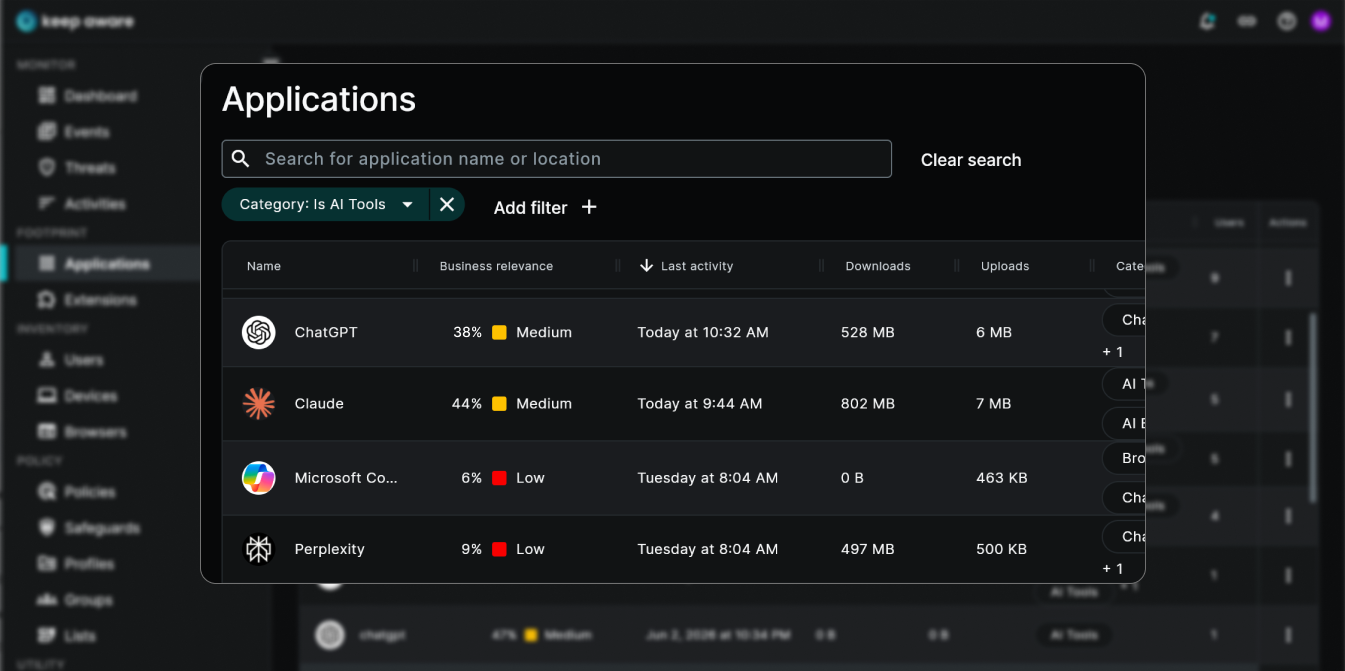
For most teams, the first time they see this information produces an "I didn't know users were using this tool" moment, spurring them to double-click and see what other insights browser-native visibility can provide into the AI tool usage in their environment.
Knowing a tool is in use isn't enough; the account context it's being used under often matters more than the tool itself.
The Keep Aware console surfaces account context alongside each tool, distinguishing activity from a work versus a personal account, even though they’re all accessed on the same domain. These look identical from a network perspective but very different from a browser perspective.
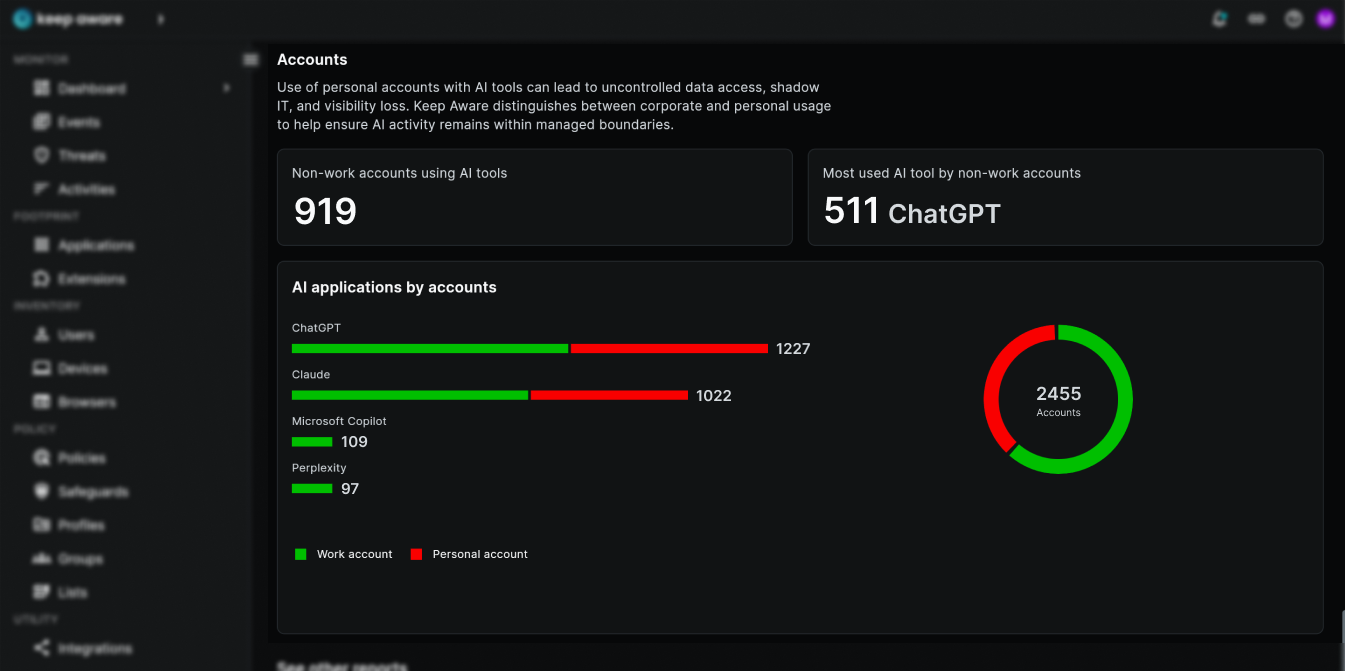
This distinction matters because personal accounts operate under different terms than enterprise instances: different data retention policies, different training opt-outs, different compliance posture, and often no admin visibility into what's been submitted.
This next question informs policies and governance.
Frequency and user data inform teams as to who is using which tools daily versus which are tried once or twice and abandoned. In addition to this metadata, Keep Aware provides an overview of browser events—inputs, paste activity, file uploads—of how each tool is used.
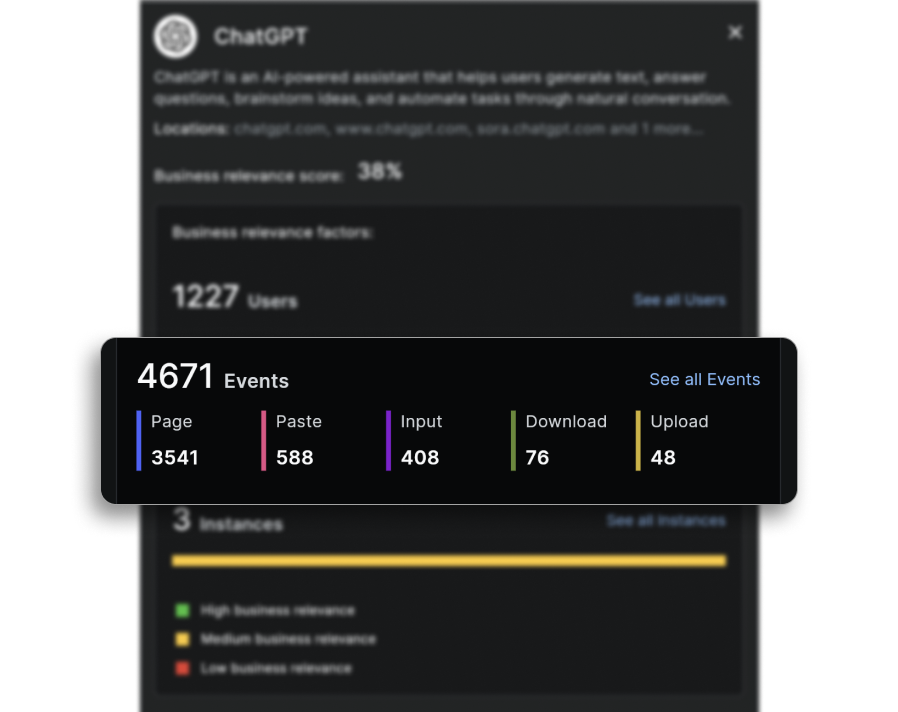
This insight shifts the conversation from "is this happening?" to "how are users actually using this tool?" That shift transforms AI governance from an abstract risk into a concrete picture of how the workforce is operating, informing which detections, Acceptable Use Policies, and workflows are worth building first or further refining.
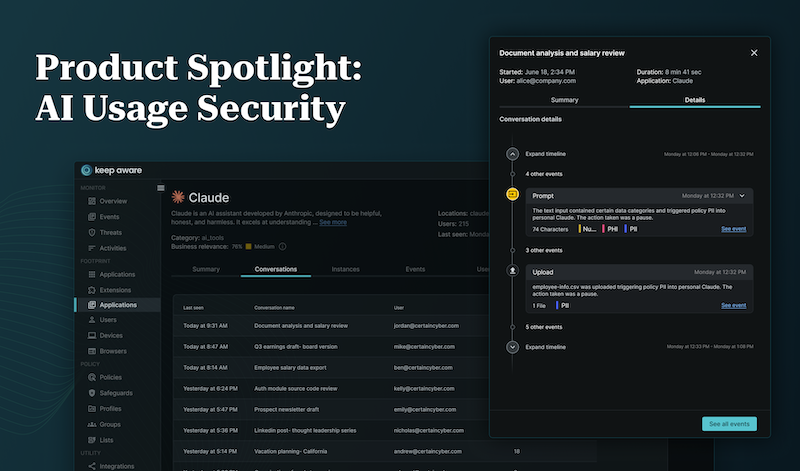
In addition to an overview of events, Keep Aware enables you to drill down into each of them and answer more detailed questions, such as “what files are users uploading?” and “is sensitive data being provided to this AI application?”
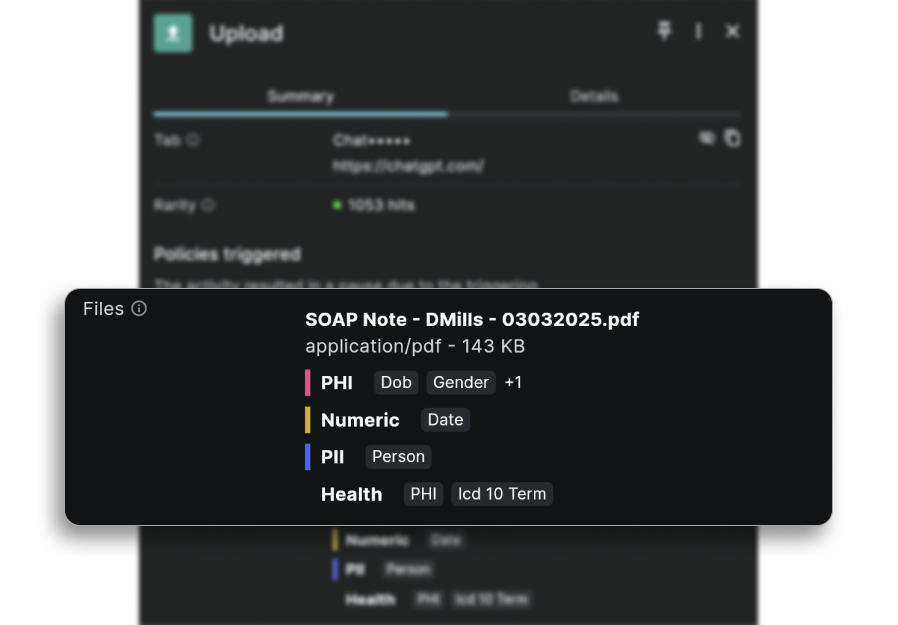
In our annual 2026 State of Browser Security Report, we identified that roughly 46% of sensitive data uploads to AI tools go to personal accounts. This means account context and data insight fill a significant, actionable visibility gap—one that alerts organizations early to data loss incidents and empowers the team to prevent the risky activity moving forward.
The point of all of this isn't to block AI; it’s to use AI responsibly. AI tools are too useful, too embedded, and too rapidly evolving for blunt, network-level prohibition of domains to be a winning strategy. The point is to give your workforce the freedom to use AI responsibly—and that begins with seeing what's already happening in the browser.
If you want a structured way to benchmark where your own program stands today, we put together a free AI & GenAI Tool Audit Checklist, containing 10 questions across AI tool visibility, account context, data exposure, policy, and AI risk, scored by gap count. It works as a point-in-time audit or as a quarterly review.
Want to see exactly which AI tools your team is using and how? Request a free AI audit and get instant visibility into your organization's AI activity.
80%+ of the workday happens in the browser, and that's where modern attacks now land. Request a demo to see Keep Aware in action.