Ready to see Keep Aware in action?
Schedule a personalized demo today and see how Keep Aware can protect your organization's biggest workplace.


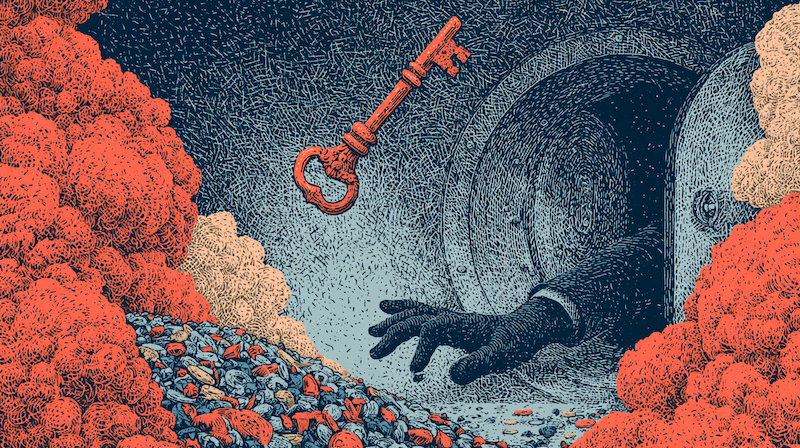
39% of breaches involved credential abuse, according to Verizon’s 2026 Data Breach Investigations Report, illustrating that credentials are a critical part of an attack and should therefore be top of mind in your security strategy.
And the place where credential theft almost always happens is inside the browser, on a page that looks legitimate to the user but is effectively invisible to the rest of the security stack.
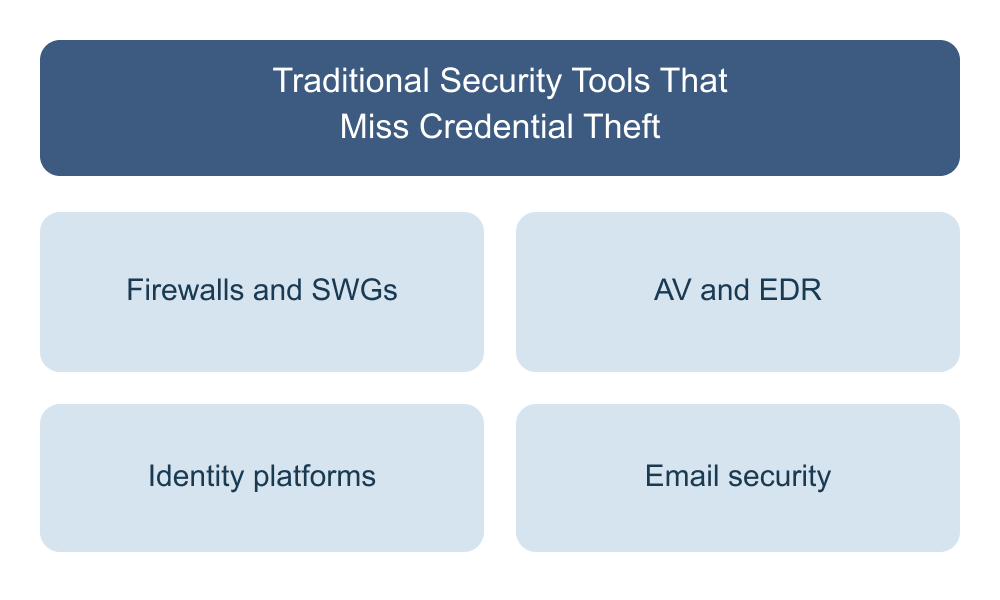
The typical detection layers between a user and an attacker is structurally limited in what it can see regarding browsing activity:
Firewalls and SWGs inspect network traffic. They see that a browser made a request to a domain. With TLS inspection, they can see the URL and initial page content and page resource calls. What they can't see is the final content rendered to the user, or whether the user typed in a corporate email or password. To the firewall, a phishing page hosted on GitHub Pages looks like any other GitHub Pages traffic—because it is.
AV and EDR watch for malicious files and suspicious process behavior on the endpoint. But credential theft doesn't drop a new file; it also doesn't spawn a new process or thread. During a successful phishing attack, the browser is doing exactly what it's designed to do: render a page, take in user input, and submit a form to a server. The endpoint looks clean because, at the endpoint level, nothing wrong or suspicious has happened.
Identity platforms see the login event after it occurs. They can flag impossible travel, unusual locations, or anomalous device fingerprints—and these signals do catch some attacks. But the credential was already stolen by the time those signals fired. Sometimes passwords are reset but session tokens aren’t revoked, causing the company to believe they are now safe and recovered, while the attacker has continued access. And in adversary-in-the-middle attacks, the attacker captures a valid session token along with the credentials, sidestepping MFA challenges that the identity platform might otherwise rely on.
Email security catches the initial phishing email some of the time. But modern phishing chains evade email security by routing the user through several legitimate domains, using a series of links and social engineering prompts, before the final credential-harvesting page loads. By the time the user reaches the malicious page, they're well outside the visibility and protection of email security.
Now, most of these tools have built-in threat intelligence feeds, flagging known IOCs, such as phishing domains. However, Keep Aware has repeatedly seen and closed the gap in these feeds. In our recent article, we share the insight from our 2025 data analysis that 63% of Microsoft-themed phishing sites were not flagged by any VirusTotal vendor at the time of employee exposure, and, more pointedly, because of where our browser extension sits in technology stacks, 100% of the credential theft attempts Keep Aware observed were permitted through existing non-browser security controls.
The credential theft itself, the moment the password is entered into a form on a malicious page, happens inside the browser. And the moment just before, when the final page renders to show a fake login form, happens inside the browser. But none of the tools above truly see what’s happening inside the browser.
Here's what we consistently see in phishing attacks that actually bypass all other organizational controls:
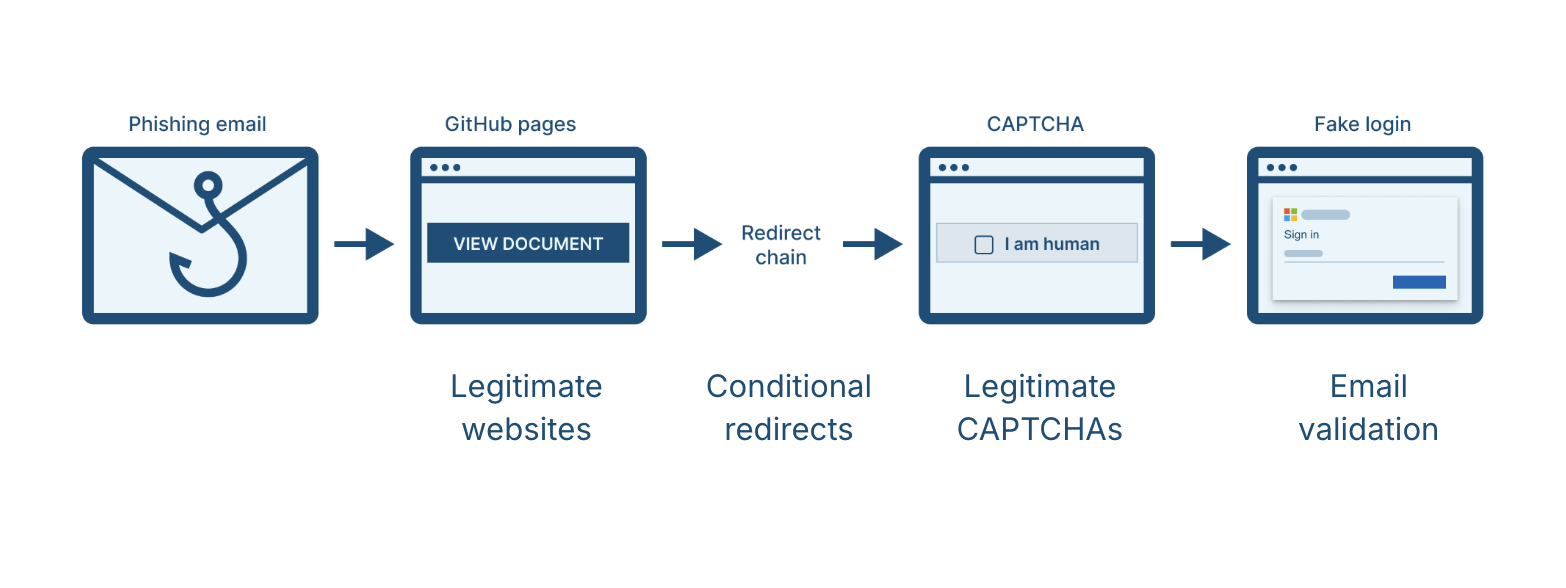
The user receives an email that passes the typical this-is-not-a-forged-email checks: SPF, DKIM, and DMARC. It comes from a legitimate (but compromised) sender, or it's a well-crafted look-alike that survives the email gateway's detection logic. The link in the email goes to a benign or even trusted domain, often a major SaaS service the user already trusts. Could be a Dropbox DocSend link; could be a GitHub Pages URL; could be a Canva design.
From there, the user is funneled through a chain of links and social engineering prompts. Each link in the chain is on a reputable, legitimate-looking domain. Often, before the final phishing page renders, there's a CAPTCHA along the way—usually a real CAPTCHA, from a real CAPTCHA provider—which both reassures the user and filters out automated security scanners.
There's occasionally server-side email validation too: the page checks the visitor's email against an attacker-maintained list or verifies it’s not a personal email address, and only serves the phishing content to real targets. The server may perform other checks—location, ASN, cookie, or User Agent verification—to confirm the visitor is an intended target. Anyone else (a sandbox, a scanner, a security researcher, an unsuspecting third party) gets served a decoy page or is quickly redirected to a benign site.
By the time the user lands on the final page—a Microsoft 365 or Google login, for example—they've passed through enough trusted intermediaries to feel confident the destination is real. They enter their credentials. No traditional tool stops them. The credentials are now in the attacker's hands.
Modern phishing sequences bypass email security and happen practically exclusively inside the browser.
We documented one campaign in detail where attackers used GitHub Pages as the initial link in a chain of links. This pattern is common, where phishing attacks chain together a handful of legitimate sites or SaaS services into a sequence that ends in a credential-harvesting form. GitHub Pages, Dropbox, Canva, DocSend, Google Sites—anything with a trusted parent domain and free or low-friction hosting becomes a candidate first hop.
But SaaS platforms aren't the only source of legitimate infrastructure attackers reach for. The trusted domains used in phishing chains aren't always free hosting services; sometimes, they're real, established business websites that have been compromised. In our research into over 100 hijacked domains, we tracked two campaigns where attackers took over otherwise normal company websites—organizations with years of legitimate domain history—and used them as intermediary steps for phishing pages. These domains look just fine to any reputation-scoring engine; they have an old age, they have clean history, they have records tied to real businesses. The first time they'd appear on a blocklist is after a campaign using them has already been investigated and reported, by which point the attackers may have rotated to using another compromised site or platform.
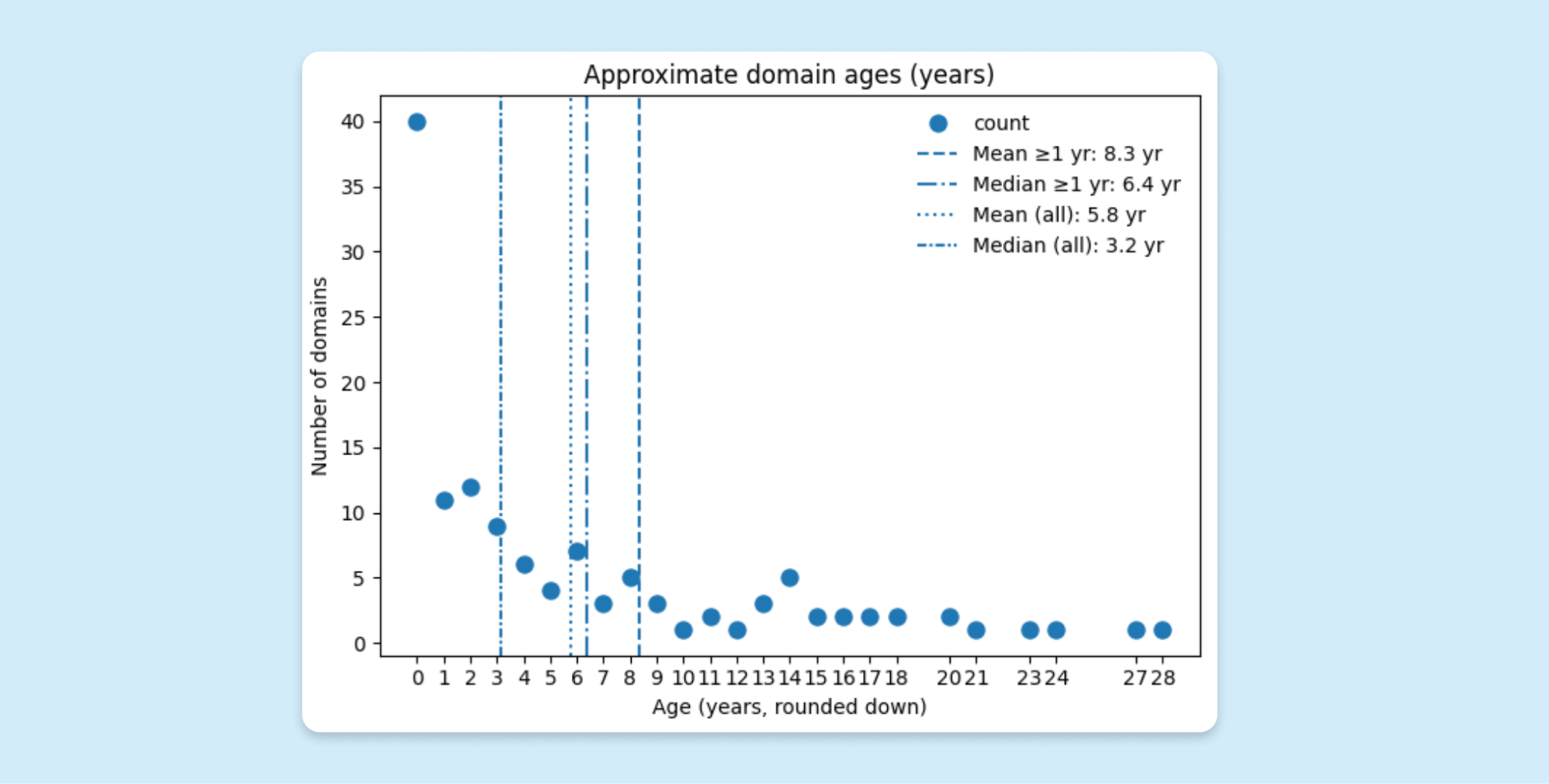
The assumption baked into most detection logic, that a domain's reputation is a reasonable proxy for whether a page on it is safe, doesn’t always hold up in practice. The only accurate signal that betrays a malicious page on an otherwise benign site is what the page actually renders and what it asks the user to do. And that signal only exists in the page’s DOM, at the moment of the attack.
If the attack bypasses email security and happens inside the browser, on a page that looks benign to network and endpoint controls, the only place to reliably detect and prevent it is inside the browser itself.
Browser-level visibility means analysis of:
This kind of detection goes beyond matching against known phishing domains. Intel feeds provide some phishing coverage but will always lag behind freshly spun-up infrastructure, and modern campaigns use legitimate domains that will likely never appear on a blocklist. Detecting phishing requires a behavioral analysis of what's happening on the page, in real time, in the only context that can actually see it: the browser tab itself.
This post was derived from our Browser Sandbox webinar. You can look at the first post in the series here.
You can also watch the on-demand webinar in its entirety here.
80%+ of the workday happens in the browser, and that's where modern attacks now land. Request a demo to see Keep Aware in action.